


Clair

For founders who run it themselves

Know what’s due. Send what’s needed.

Your company, all clear.

Your filing dates, your records and what’s needed next, in one app, with a reminder before each date.

Get your dates free

Free, no card. We’re opening accounts company by company.

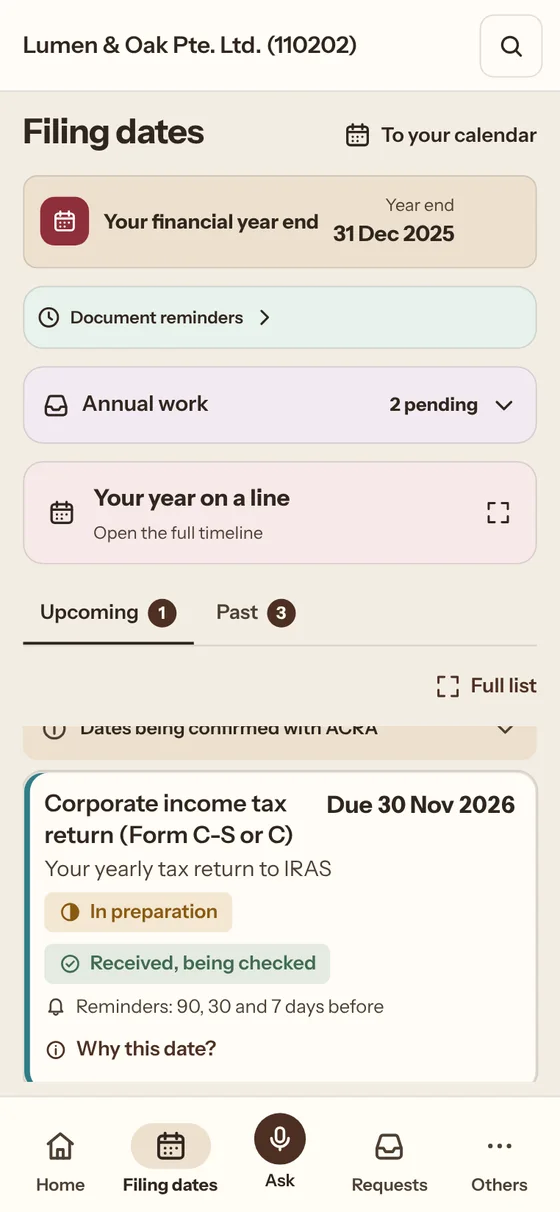
Filing dates in Clair: each date your company owes, with its rule
Filing dates in the Clair app, a sample company.

What we believe

You shouldn’t have to know what you don’t know.

  • What is due, and when.
  • Every request and document in one place.
  • Send what’s needed, from your phone.

How Clair works.

Check dates. Send records. Answer requests.

  1. Filing dates

    See what’s due.

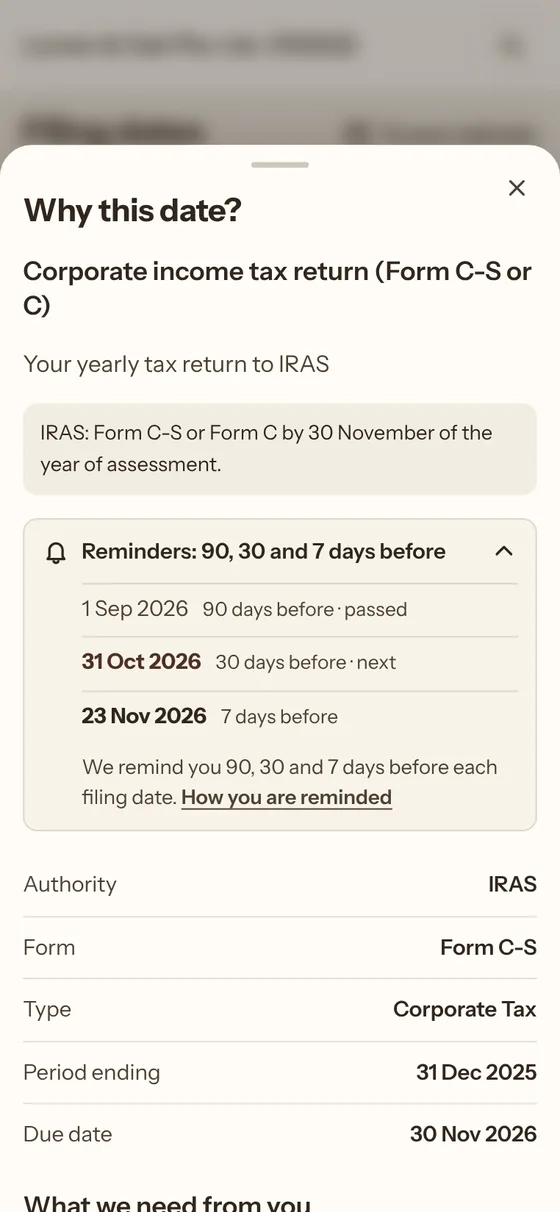
    Check your dates. Open a card to see its rule.

    Filing dates in Clair. Open a card to see the rule and what applies.
  2. Documents

    Keep your records together.

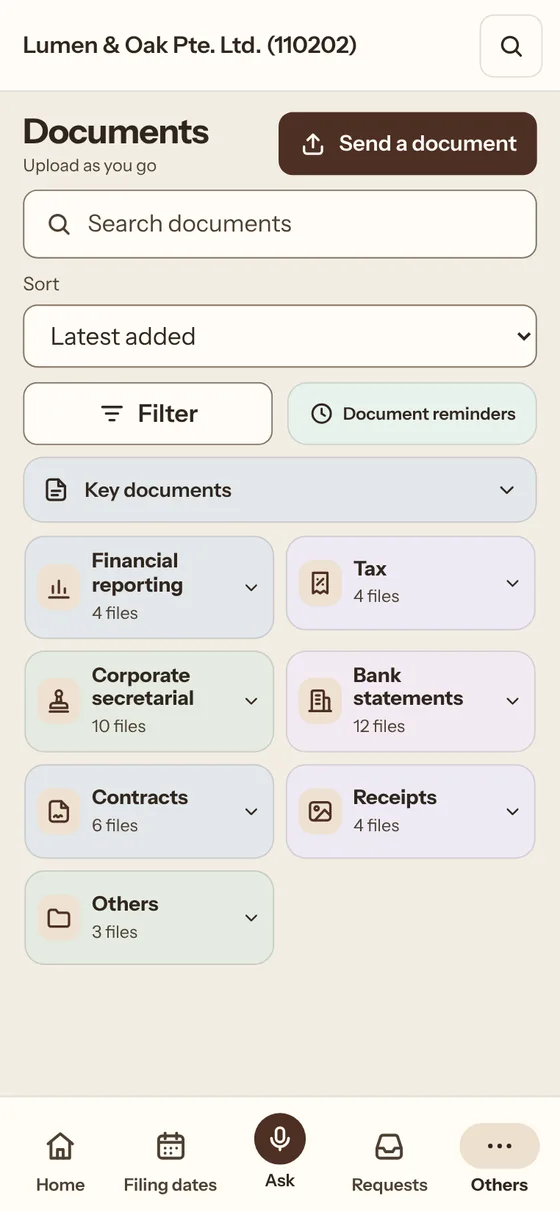
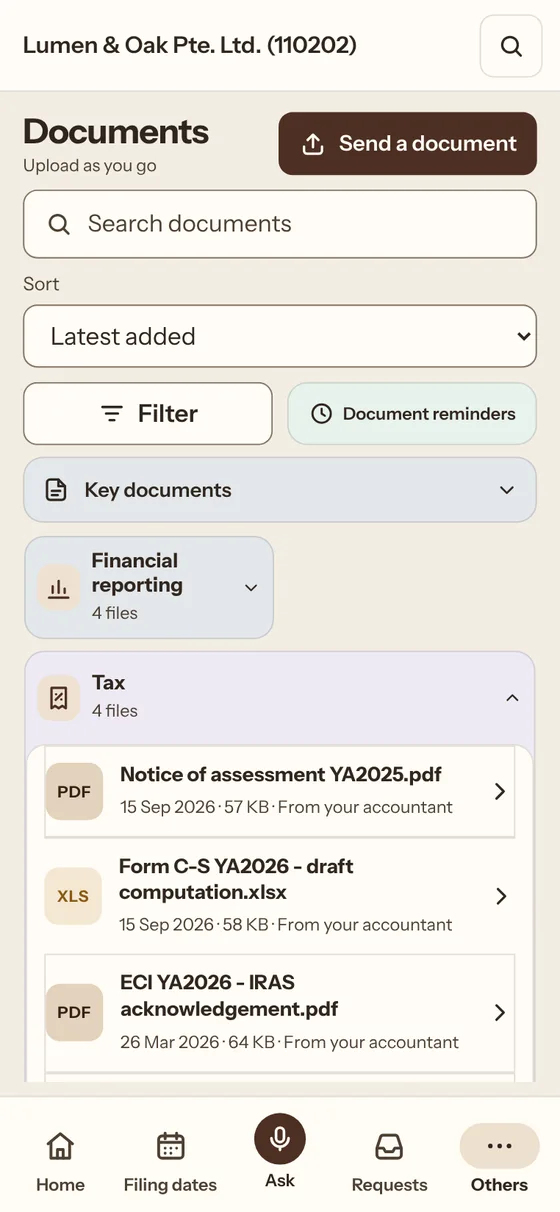
    Upload as you go. Find files by name or folder.

    Documents in Clair: key documents, folders and recent files. Tap a folder to open it.
  3. Requests

    See the request. Send the file.

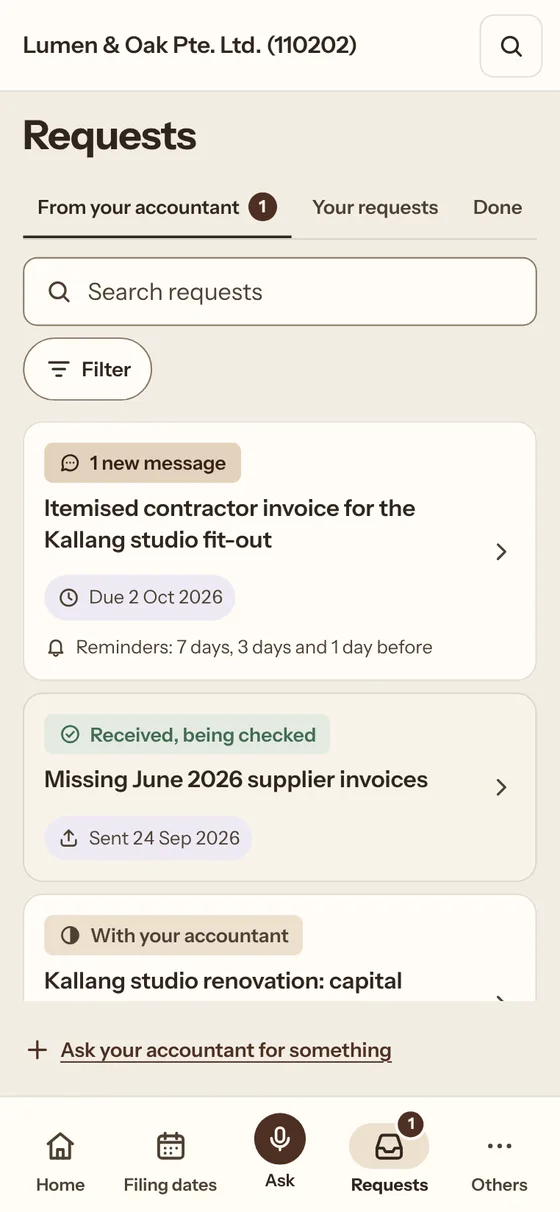
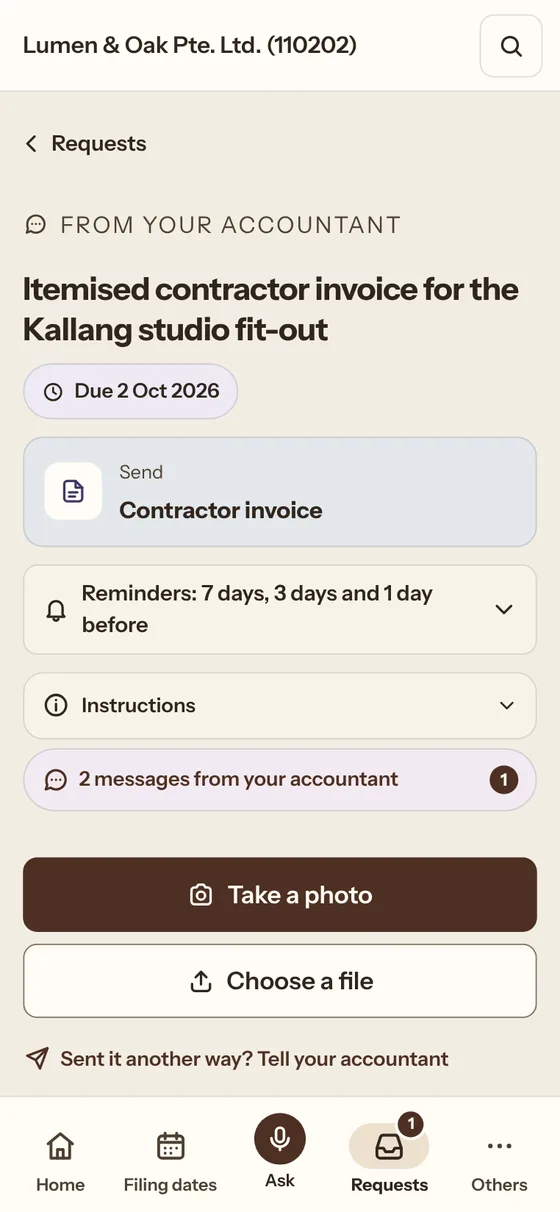
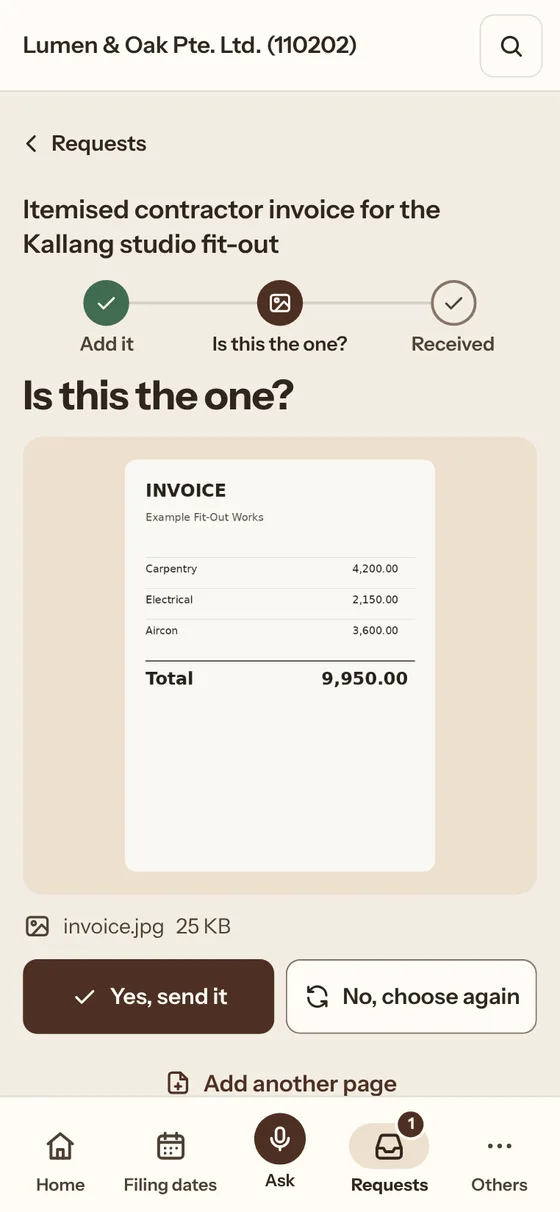
    One request at a time. Photo or file, check, then send. We’ll remind you twice at most.

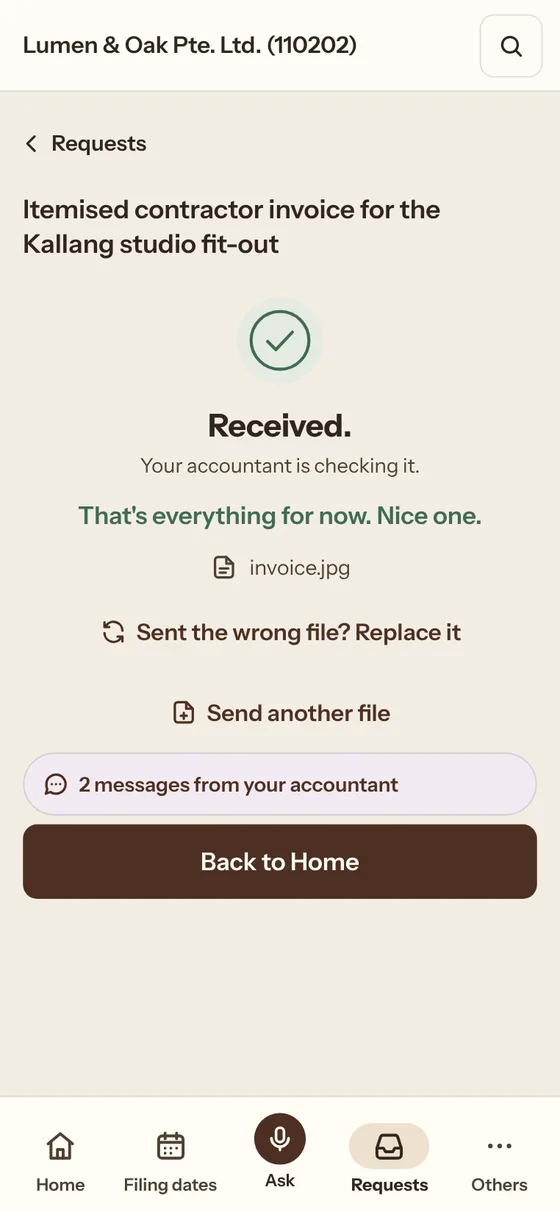
    A request in Clair: tap it, take a photo, check it and send. It then reads Received.
  4. Ask

    Ask your question.

    Ask about your company’s record.

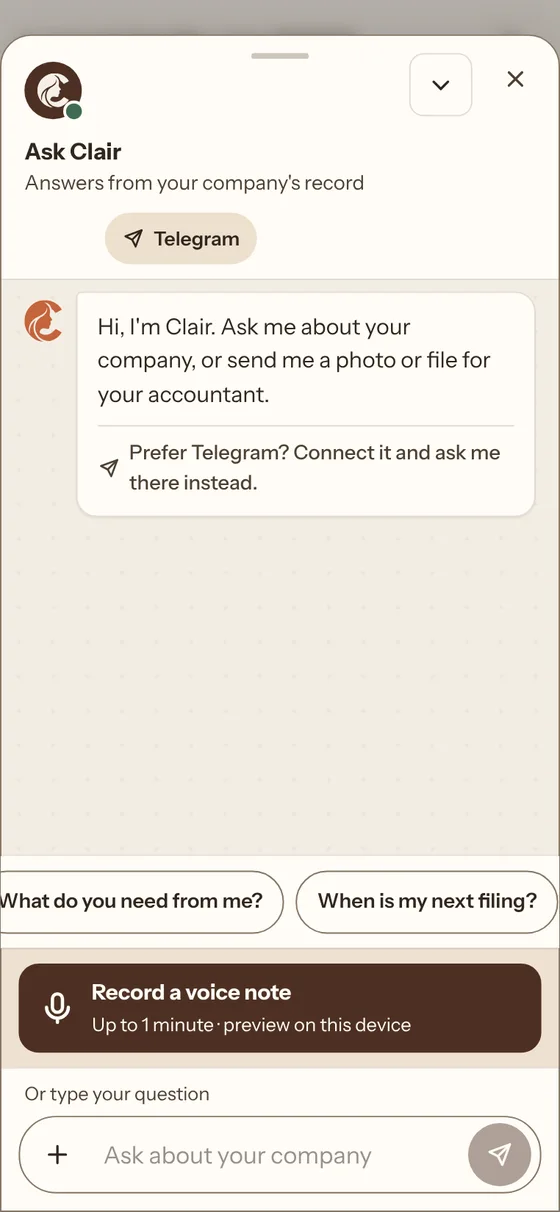
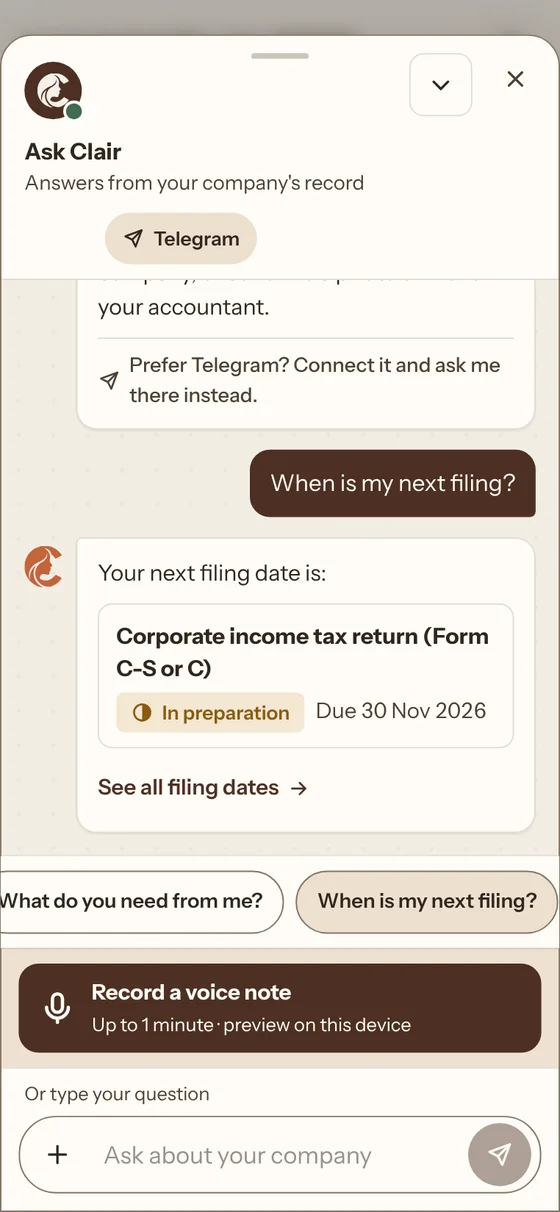
    Ask in Clair: tap When is my next filing? and the answer comes from the company’s record.
  5. Ready when you are.Get your dates free

Want it done for you?

Clair Handled: your books, year end accounts and tax return, prepared by the accountants at JM Atelier, the firm behind Clair. You’ll sign an engagement letter with them, so you always know who’s responsible. Quoted after a 20-minute call.

Request a call

Requests from outside

Send the screenshot. Get the documents.

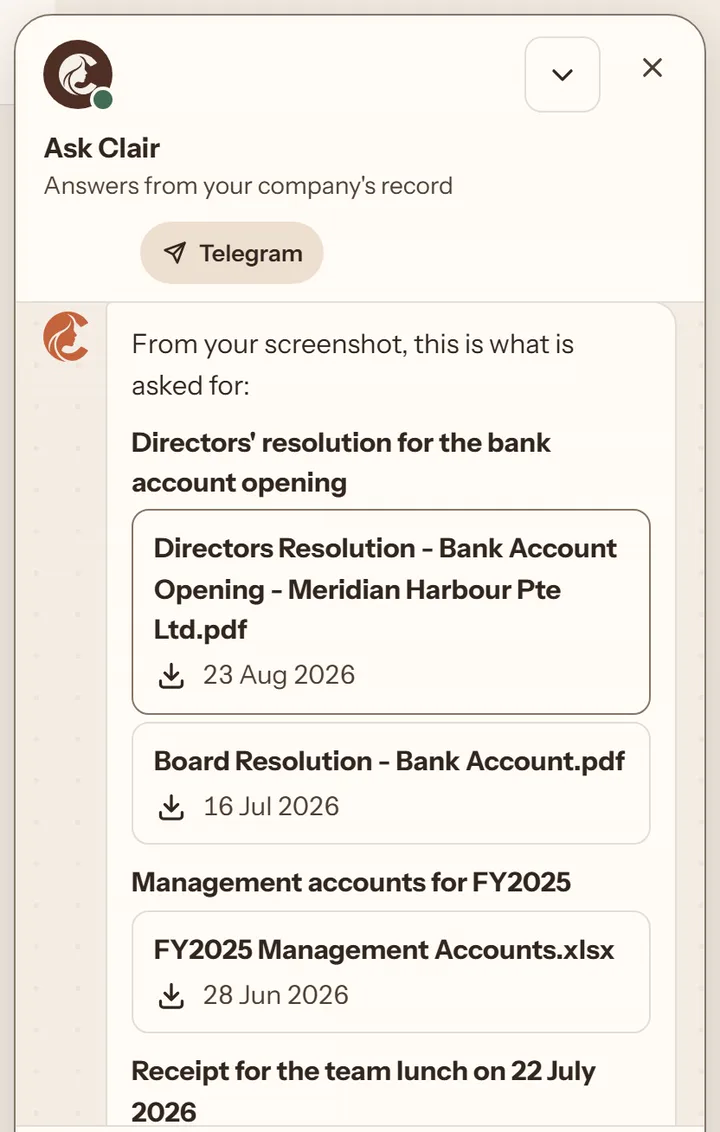
ACRA, IRAS, a grant body or your company secretary sends a list of documents. Paste a screenshot of it into Ask. Clair names the matching documents in your records, and you download each one from the chat.

Anything not there yet can go to your accountant as a request.

A recording of Ask in Clair. A screenshot of a sample grant checklist is sent; Clair lists each item with the matching documents from the company’s records, marks the audited accounts as not in the documents yet, and a receipt is tapped to download it.
Recorded in the Clair app, with a sample company and a sample checklist.

How Clair works

Four scenes from your year.
  1. 01Filing dates
  2. 02Documents
  3. 03Requests
  4. 04Ask

Filing dates

See what’s due.

Check your dates. Open a card to see its rule.

Filing dates in Clair. Open a card to see the rule and what applies.

Documents

Keep your records together.

Upload as you go. Find files by name or folder.

Documents in Clair: key documents, folders and recent files. Tap a folder to open it.

Requests

See the request. Send the file.

One request at a time. Photo or file, check, then send. We’ll remind you twice at most.

A request in Clair: tap it, take a photo, check it and send. It then reads Received.

Ask

Ask your question.

Ask about your company’s record.

Ask in Clair: tap When is my next filing? and the answer comes from the company’s record.
Your year at a glance

Four dates a year. One example.

Example: a private company with a 31 Dec 2025 year end.

  1. 3 months after year end31 Mar 2026Estimated Chargeable Income (ECI)Your tax estimate to IRAS
  2. 6 months after year end30 Jun 2026Annual General Meeting (AGM)Your yearly shareholders’ meeting
  3. 7 months after year end31 Jul 2026Annual return (AR)Your yearly update to ACRA
  4. By 30 Nov30 Nov 2026Corporate income tax return (Form C-S or C)Your yearly tax return to IRAS

Example only. Waivers and exemptions may apply. Confirm your own dates with ACRA or IRAS.

A companion that grows with you.

Each task your accountant checks helps its home grow.

Maple the red panda waving, in a home that has grown to level 5
A picture from the Clair app: the pet you choose, at home.
A preview of the pet in the Clair app

Grow a little home.

Choose a red panda, an otter or a rabbit. Each task your accountant checks earns points, and your home grows as you level up.

The pet is optional. Switch it off for a plain Home.

  1. 1
    Send what’s needed

    Photo or file. Check, then send.

  2. 2
    Your accountant checks it

    Checked tasks earn points. Extra messages don’t.

  3. 3
    Your home grows

    Books, a sofa, a lamp. One level at a time.

Pets are a preview and may change before launch. A quiet week never takes away progress.

Meet your companion
Maple the red panda

Maple the red panda

Three companions. The same rewards.

Questions

Not answered here? Email admin@clairsg.com.

Get your dates free
Who is Clair for?

Founders in Singapore who run their company’s admin themselves, and people about to start one. Not for groups, companies that rely on a nominee director, or cross-border tax; not yet for companies that report monthly to investors or a board.

Does it replace my accountant?

No. Clair is software. It keeps your dates, your records and what’s needed in one place. The filing stays with you, or with your accountant if you have one.

Can I use it on my phone?

Yes. Send a photo or file, ask a question, and find your documents. Desktop works too.

How do I get access?

Get your dates free on the Start free page: no card. We’re opening accounts company by company.

Can I rely on the filing dates?

Dates are indicative. Check with your accountant, ACRA or IRAS. Clair is software, not legal, tax or accounting advice.

Groups, nominee directors or cross-border tax? JM Atelier, the firm behind Clair, advises on these directly. Talk to us

Know what’s due. Send what’s needed.

Get your dates free